Fouad's Peak Gain Match
Match the Level. Trust Your Mix.
Peak Gain Match does one job and does it perfectly: it sets the loudness of any track to match a reference, automatically. No more guessing fader moves or being fooled by "louder sounds better." Pick a reference, hit Listen, and your track is leveled to sit right where it belongs — then nudge the output to taste.
How It Works
- Insert Peak Gain Match on the track you want to balance.
- Route another track or bus into its sidechain input — this is your reference.
- Play both at the same time and click LISTEN.
- The plugin measures the loudness (LUFS) of both signals while it listens.
- Click STOP and it instantly applies the gain needed to match your track to the reference.
- Fine-tune with the OUTPUT control until it sits exactly how you want.
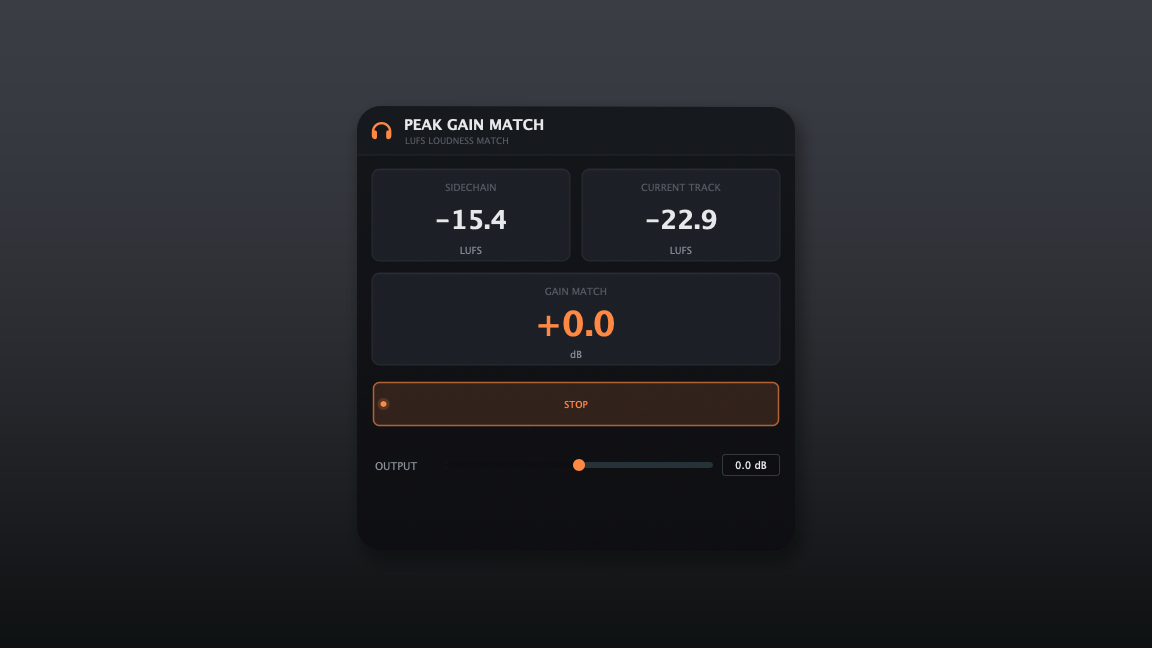
The measured levels and the applied gain are shown right on the interface and saved with your project.
Two Simple Controls
LISTEN / STOP — Starts and stops the analysis. While it listens, it compares your track's loudness to the sidechain reference and works out the perfect gain match.
OUTPUT (-12 to +12 dB) — A clean gain stage after the match. Use it to push the track a touch louder or quieter than the reference — to taste. It's automatable and saved with your session.
Where It's Useful
Balance a vocal to the mix — Send your full mix (or instrumental bus) into the sidechain, hit Listen, and the vocal is instantly leveled to sit with everything else. Then bump OUTPUT up a dB or two so it floats just on top. The fastest way to a balanced lead vocal.
Match stems and takes — Get a verse and chorus vocal, a double-track, or a re-recorded part to the same loudness in seconds, so your automation starts from an even playing field.
Reference any track — Like the level of one element in your song? Use it as the reference and match other tracks to it for a consistent, glued mix.
Fair A/B comparisons — Level-match before deciding whether a new plugin or chain actually sounds better. Same loudness, honest comparison — no more being tricked by volume.
Why Loudness, Not Just Peaks
Peak Gain Match listens to perceived loudness (LUFS) over the whole listen window, not a single peak. That means the match reflects how loud things actually feel in the mix — exactly what you're balancing by ear.
What You Get
- VST3 (Windows & Mac) and AU (Mac)
- Automatic loudness matching via sidechain
- Clear LUFS readouts and gain-match display
- Output gain control to dial it in to taste
- Lifetime free updates
- Email support
Peak Gain Match. Set the level, balance the mix, move on.